
Tips for Creating a Relaxing Home Workspace to Boost Productivity
Creating a relaxing home workspace is essential for maintaining productivity and wellbeing, especially when working remotely or spending long hours at your desk. A calm, organised environment not only reduces stress but also helps you concentrate better, making your work more efficient and enjoyable. In this post, we’ll explore practical tips to transform your home workspace into a place where you can focus, relax, and thrive.
Why a Relaxing Workspace Matters
Your workspace significantly influences how you feel and perform. Clutter, poor lighting, or uncomfortable furniture can cause distractions and physical discomfort, impacting your output. Conversely, a thoughtfully arranged area that promotes relaxation encourages clearer thinking, reduces fatigue, and boosts creativity.
1. Choose the Right Location
Finding the ideal spot in your home to set up your workspace is the first step. Ideally, pick a quiet area away from high-traffic zones like the kitchen or living room to minimise interruptions.
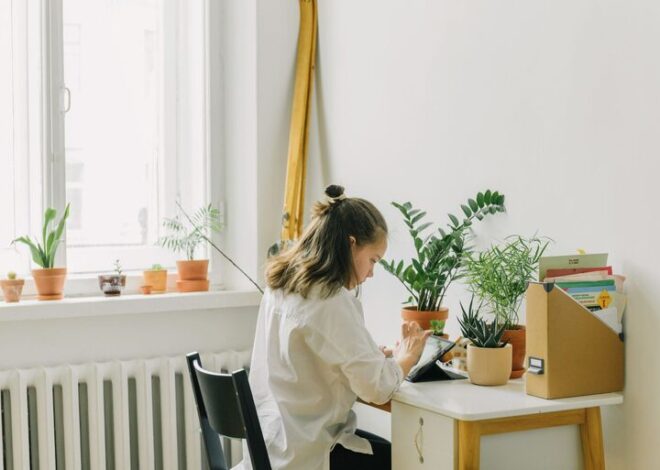
– Consider natural light sources, such as near windows, which help reduce eye strain and improve mood.
– If privacy is limited, use room dividers or curtains to create a sense of separation.
– Avoid spaces with loud appliances or external noise that could break your concentration.
2. Invest in Comfortable Furniture
Comfort is key to staying productive over long periods. Choose ergonomic furniture that supports good posture and reduces the risk of strain.
– Use a chair with adjustable height and lumbar support.
– Ensure your desk is at a height where your arms rest comfortably while typing.
– Consider a sit-stand desk to alternate positions and avoid prolonged sitting.
3. Declutter and Organise
A tidy workspace helps clear your mind and keeps distractions at bay. Spend time decluttering and organising your area regularly.
– Use storage solutions like shelves, drawers, or boxes to keep supplies out of sight yet accessible.
– Keep only essential items on your desk to maintain a clean and open surface.
– Label files and containers for easier access and to save time searching for materials.
4. Incorporate Calming Colours and Décor
Colours can influence your mood and productivity. Soothing hues create a peaceful atmosphere conducive to focus.
– Shades of blue, green, or neutral tones tend to be calming.
– Personalise your space with artwork, plants, or photos that inspire you but avoid over-decoration.
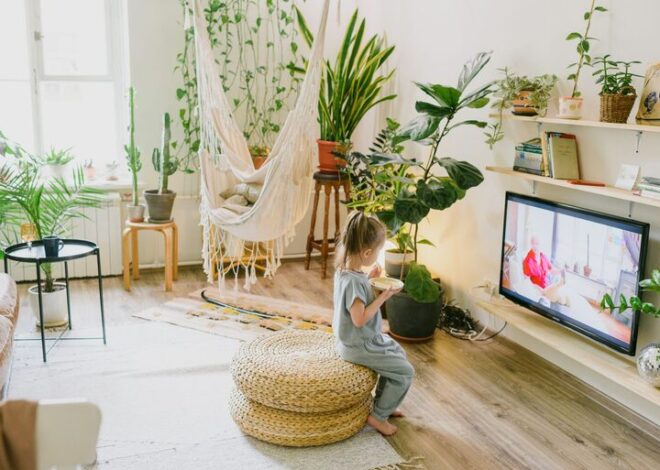
– Use soft textiles, like cushions or rugs, to add warmth and comfort.
5. Optimize Lighting
Proper lighting prevents eye strain and keeps you alert.
– Maximise natural daylight wherever possible.
– Use adjustable desk lamps with warm white bulbs for a cosy yet functional light source.
– Avoid harsh overhead fluorescent lights or glare on your computer screen.
6. Minimise Noise
Noise distractions can be detrimental to concentration. Find ways to create a quiet workspace tailored to your needs.
– Use noise-cancelling headphones or play soft instrumental music if complete silence isn’t possible.
– Add soft furnishings that absorb sound, such as curtains or rugs.
– Close doors or windows to block external noise when necessary.
7. Add Personal Touches Mindfully
Personalising your workspace can increase comfort and motivation, but balance is important.
– Choose a few meaningful items like a favourite mug, motivational quotes, or a small plant.
– Avoid cluttering your desk with too many possessions that could become distractions.
– Refresh your workspace occasionally to keep it inspiring.
8. Prioritise Air Quality and Comfort
Fresh air and a comfortable temperature improve both health and concentration.
– Keep windows open when weather permits for ventilation.
– Consider an air purifier if your room feels stuffy or dusty.
– Adjust heating or cooling devices to maintain a comfortable working environment year-round.
9. Establish a Daily Routine
Having a consistent routine helps reinforce productive habits in your workspace.
– Start your day with a quick tidying session.
– Set specific working hours and take regular breaks to stretch or move around.
– Use planners or digital tools to organise tasks and deadlines.
10. Technology and Cable Management
A well-organised tech setup reduces clutter and stress.
– Use cable organisers or clips to keep cords neat and untangled.
– Position your computer screen at eye level to prevent neck strain.
– Keep accessories like keyboards and mice ergonomically placed.
—
Final Thoughts
Designing a relaxing home workspace is a personal process that blends comfort with functionality. By making smart choices in location, furniture, lighting, and organisation, you can create a setting that supports your productivity and wellbeing. Remember, a calm environment nurtures clear thinking, so invest time in shaping your workspace into a place where work feels less like a chore and more like a positive experience. With these tips, you’re well on your way to establishing a productive and peaceful home office that works for you.