
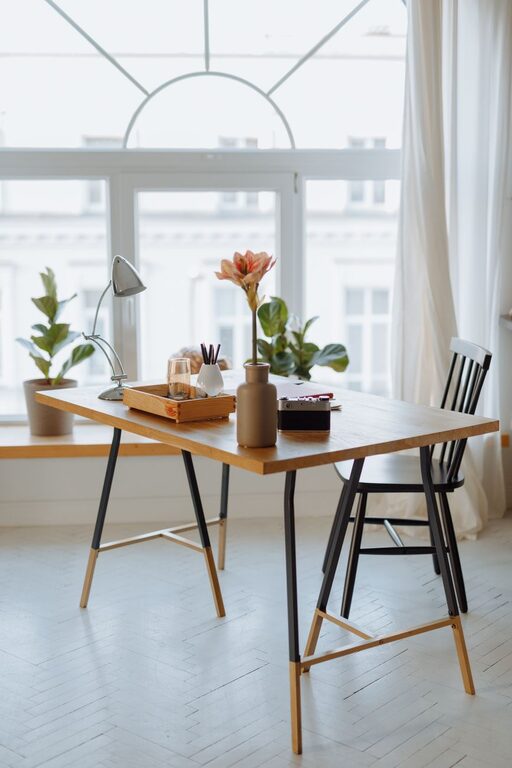
Tips for Organising a Clutter-Free Home Office Space
Creating a clutter-free home office space can have a positive impact on your productivity, focus, and overall wellbeing. Whether you’re working remotely full-time, a few days a week, or just need a dedicated area for bills and paperwork, organising your workspace helps you stay on top of tasks and reduces distractions. Here are practical tips to help you design and maintain a clutter-free home office.
Why a Clutter-Free Office Matters
A tidy workspace isn’t just about aesthetics. Clutter can cause stress, decrease concentration, and slow your work pace. On the other hand, an organised office can enhance creativity, motivation, and efficiency. It also helps maintain a professional environment for meetings or video calls.
—
Step 1: Plan Your Space
Define Your Needs
Start by considering what you really need in your home office. Do you require extra storage for files, or multiple screens for work? Knowing your requirements will guide your choice of furniture and storage solutions.
Choose the Right Location
Find a quiet, well-lit area that can comfortably accommodate your desk and equipment. Natural light is beneficial, but if this isn’t possible, invest in good-quality desk lighting to reduce eye strain.
—
Step 2: Clear and Sort
Declutter Ruthlessly
Remove everything from your desk and surrounding area. Sort items into three piles: keep, discard, and relocate. Be honest—if you haven’t used something in the last six months, it may be time to let it go.
Categorise Items
Group similar items together, such as stationery, technology accessories, books, and personal items. This makes it easier to decide on storage options later.
—
Step 3: Smart Storage Solutions
Use Vertical Space
Shelves, wall-mounted organisers, or pegboards make use of vertical space, freeing up desk area. This is ideal for storing frequently used items within easy reach.
Desk Organisers and Drawers
Invest in desk organisers to keep stationery and small tools neatly arranged. Use drawer dividers to separate different items, reducing the chance of clutter building up.
Filing Systems
Set up a filing system for important paperwork. Label files clearly and keep them within arm’s reach. For digital documents, consider scanning paper files to reduce physical storage needs.
—
Step 4: Cable Management
Cables are a common source of mess in any office. Use cable clips, ties, or under-desk trays to keep wires organised and out of sight. This not only looks neater but also prevents accidental unplugging or damage.
—
Step 5: Maintain Daily Habits
End-of-Day Tidy-Up
Spend five minutes at the end of each workday to clear your desk and put away items. This creates a fresh start for the next working session.
Limit Non-Essential Items
Avoid cluttering your desk with personal items or paperwork unrelated to work tasks. Keeping surfaces as clear as possible encourages focus.
—
Step 6: Personalise Mindfully
While it’s important to keep your office neat, adding a few personal touches such as plants, photos, or meaningful artwork can make the space more inviting. Just make sure these items don’t crowd your workspace.
—
Step 7: Regular Reviews
Set a monthly or quarterly reminder to review your home office setup. Use this time to declutter, reorganise, and adjust your space based on changing work needs.
—
Additional Tips
– Use Multifunctional Furniture: Desks with built-in storage or adjustable features adapt well to different tasks and keep clutter hidden.
– Adopt a “One In, One Out” Policy: For every new item added, consider removing an old one to maintain balance.
– Digital Declutter: Regularly organise your computer files and email inbox to complement your physical workspace organisation.
—
Creating a clutter-free home office doesn’t need to be overwhelming. By following these tips, you can transform your workspace into an organised, productive haven that supports your work and wellbeing. Remember, the key is to tailor your space to your unique needs and maintain it with small daily habits. Happy organising!
